


 Read Client Stories





 Alex Kugell

 Key Takeaways
- Custom hooks replaced most uses of HOCs and render props. Both patterns still appear in codebases and libraries, so knowing them matters, but new code rarely needs them.
- The React Compiler handles memoization automatically. If you have it enabled, writing useMemo and useCallback by hand is mostly redundant work.
- Compound components remain the strongest pattern for flexible UI libraries, which is why almost every headless component library uses them.
- Context re-renders every consumer when its value changes. Splitting one large context into several narrow ones usually solves the performance complaints people have about it.
- Server Components changed where the data-fetching boundary sits, which is a more significant architectural shift than any of the classic patterns.
- Patterns earn their place by solving a problem you actually have. Applying them preemptively tends to produce indirection nobody can follow six months later.
React design patterns solve problems that show up repeatedly in component architecture, like sharing logic without duplicating it, composing UIs that stay flexible, and managing state without threading props through six layers.
Let’s look at the specific patterns that our developers use in 2026, because having seen them in code means you can recognize when to reach for one.
A few things have also changed recently, like React 19 shipping Server Components and Actions as stable features, and the React Compiler reaching 1.0 in October 2025, which have quietly made a lot of manual memoization unnecessary.
At Trio, we have senior React developers with production experience in heavily regulated industries like fintech.
These developers can use a variety of React design patterns as well as other tools and techniques to ensure your apps are not only efficient now, but set up for long-term success.
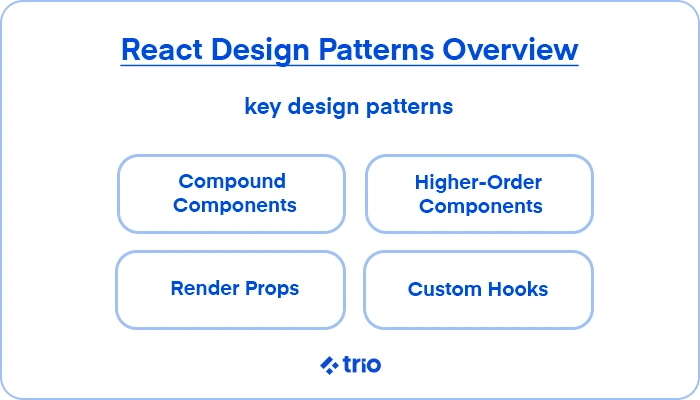
Exploring Core React Design Patterns
Compound components
The compound component pattern splits one component into several that share state implicitly through context, so the consumer composes them freely rather than configuring one component through a long list of props.
Tabs, accordions, dropdowns, and modals all suit this. We would recommend it for any interface where several pieces coordinate, but the arrangement varies by use case.
import { createContext, useContext, useState } from ‘react’;
const TabsContext = createContext(null);
function Tabs({ children, defaultTab }) {
const [active, setActive] = useState(defaultTab);
return (
<TabsContext.Provider value={{ active, setActive }}>
<div className=”tabs”>{children}</div>
</TabsContext.Provider>
);
}
function TabList({ children }) {
return <div role=”tablist”>{children}</div>;
}
function Tab({ id, children }) {
const { active, setActive } = useContext(TabsContext);
return (
<button
role=”tab”
aria-selected={active === id}
onClick={() => setActive(id)}
>
{children}
</button>
);
}
function TabPanel({ id, children }) {
const { active } = useContext(TabsContext);
return active === id ? <div role=”tabpanel”>{children}</div> : null;
}
Tabs.List = TabList;
Tabs.Tab = Tab;
Tabs.Panel = TabPanel;
Used like this:
<Tabs defaultTab=”overview”>
<Tabs.List>
<Tabs.Tab id=”overview”>Overview</Tabs.Tab>
<Tabs.Tab id=”activity”>Activity</Tabs.Tab>
</Tabs.List>
<Tabs.Panel id=”overview”>Account summary</Tabs.Panel>
<Tabs.Panel id=”activity”>Transaction history</Tabs.Panel>
</Tabs>
The consumer controls markup and ordering completely.
Compare that with a <Tabs items={[…]} /> component, where supporting a badge on one tab means adding another prop, and supporting an icon means adding another.
There’s one caveat here, though. The context dependency means these components only work inside their parent. Throwing a clear error when the context is missing will save your people a confusing debugging session.
Custom hooks
Custom hooks extract stateful logic into a reusable function.
Our developers have mentioned that they have become the default answer to “how do I share this between components,” and they replaced most of what HOCs and render props were doing.
import { useState, useEffect } from ‘react’;
function useAccountBalance(accountId) {
const [balance, setBalance] = useState(null);
const [error, setError] = useState(null);
const [loading, setLoading] = useState(true);
useEffect(() => {
let cancelled = false;
setLoading(true);
fetchBalance(accountId)
.then(data => {
if (!cancelled) setBalance(data);
})
.catch(err => {
if (!cancelled) setError(err);
})
.finally(() => {
if (!cancelled) setLoading(false);
});
return () => { cancelled = true; };
}, [accountId]);
return { balance, error, loading };
}
The cancelled flag matters a great deal because, without it, a component that unmounts or changes accountId mid-request will try to set state on a stale request, and in a fast-moving UI the responses can arrive out of order.
Hooks compose, which is where the pattern earns its keep.
A useAccountBalance hook can build on a lower-level useFetch, and the component that consumes it stays focused on rendering.
There are two rules that are always enforced, though.
Call hooks only at the top level, never inside conditionals or loops, and only from React functions or other hooks. React tracks hook state by call order, so a conditional hook breaks that mapping.
The provider pattern
Context plus a provider lets components deep in a tree read shared state without props being passed through every intermediate layer.
const ThemeContext = createContext(null);
export function ThemeProvider({ children }) {
const [theme, setTheme] = useState(‘light’);
const value = useMemo(() => ({ theme, setTheme }), [theme]);
return (
<ThemeContext.Provider value={value}>
{children}
</ThemeContext.Provider>
);
}
export function useTheme() {
const context = useContext(ThemeContext);
if (!context) {
throw new Error(‘useTheme must be used within a ThemeProvider’);
}
return context;
}
Exporting a useTheme hook rather than the raw context gives you the error boundary above and lets you change the implementation later without touching consumers.
The performance complaint about context is definitely real, but there are ways to deal with it.
Essentially, these issues result because every consumer re-renders when the context value changes, so an object recreated on each render re-renders everything downstream.
You can fix this rather simply when you memoize the value, as above, and split a large context into several narrow ones so a change to one slice does not wake components that only read another.
Our developers have commented that a context holding both user profile and a frequently updating notification count should be two contexts.
From what we have observed, context suits infrequently changing data like a theme, authenticated user, locale, or feature flags. Otherwise, a state library might be the better option.
The reducer pattern
useReducer centralizes state transitions in one function, which pays off once a component’s state has several interdependent fields.
const initial = { step: 1, amount: ”, recipient: null, errors: {} };
function transferReducer(state, action) {
switch (action.type) {
case ‘SET_AMOUNT’:
return { …state, amount: action.value, errors: {} };
case ‘SELECT_RECIPIENT’:
return { …state, recipient: action.recipient, step: 2 };
case ‘VALIDATION_FAILED’:
return { …state, errors: action.errors };
case ‘RESET’:
return initial;
default:
throw new Error(`Unhandled action: ${action.type}`);
}
}
function TransferForm() {
const [state, dispatch] = useReducer(transferReducer, initial);
// …
}
The advantage over several useState calls shows up when transitions involve more than one field at once. Selecting a recipient here also advances the step, and keeping that coupling in the reducer stops it from scattering across event handlers.
Reducers also test easily, since the function is pure. You can assert on state transitions without rendering anything.
Higher-order components and render props
Both patterns solved logic reuse before hooks existed. Both still appear in older codebases and some libraries, so recognizing them matters even if you rarely write new ones.
A higher-order component wraps a component and returns a new one with extra behavior:
function withAuth(Component) {
return function AuthenticatedComponent(props) {
const { user, loading } = useAuth();
if (loading) return <Spinner />;
if (!user) return <LoginPrompt />;
return <Component {…props} user={user} />;
};
}
Render props pass a function as a prop, letting the consumer decide what to render from the provided state:
<MousePosition
render={({ x, y }) => <Cursor x={x} y={y} />}
/>
Neither is wrong per se, but both have real drawbacks that hooks avoid.
Stacked HOCs tend to produce the wrapper nesting that makes component trees hard to read in DevTools and obscures where a prop came from.
Nested render props produce a similar problem in the opposite direction, with callbacks indenting further on every layer.
A custom hook does the same job without adding anything to the tree, which is why useAuth() has replaced withAuth() almost everywhere.
What the React Compiler changed
The React Compiler reached version 1.0 in October 2025. It analyzes your components at build time and inserts memoization automatically, which makes most manual useMemo, useCallback, and React.memo unnecessary.
The compiler works with React 17 and up, but if you use React 19, you are able to avoid needing the backwards-compatibility runtime. Next.js, Expo, Vite, and TanStack Start all support enabling it through configuration.
Practically, this means that if your project has the compiler enabled, writing memoization by hand is mostly redundant effort, and in some cases it gets in the way.
The patterns themselves have not changed, but the optimization advice attached to them has. Guides recommending that you wrap everything in useCallback were written before this.
The compiler-powered lint rules now ship in eslint-plugin-react-hooks rather than the separate eslint-plugin-react-compiler package, which was deprecated and merged in.
React 19 patterns
React 19 added several things that count as patterns in their own right.
Server Components, for example, run on the server and send rendered output rather than JavaScript to the client. Data fetching moves to the component that needs it without a round trip from the browser:
// Runs on the server
async function TransactionList({ accountId }) {
const transactions = await db.transactions.findMany({ where: { accountId } });
return (
<ul>
{transactions.map(t => <TransactionRow key={t.id} transaction={t} />)}
</ul>
);
}
No useEffect, no loading state, and no client-side fetch.
The architectural consequence is that the boundary between server and client work now sits inside your component tree rather than between your API and your app.
Actions and useActionState handle form submission with pending and error states built in:
function TransferForm() {
const [state, submitAction, isPending] = useActionState(
async (previousState, formData) => {
const result = await submitTransfer(formData);
if (result.error) return { error: result.error };
return { success: true };
},
null
);
return (
<form action={submitAction}>
<input name=”amount” />
<button disabled={isPending}>
{isPending ? ‘Sending…’ : ‘Send’}
</button>
{state?.error && <p role=”alert”>{state.error}</p>}
</form>
);
}
useOptimistic shows the expected result immediately while the request is in flight, then reconciles.
We’ve found that it is good for anything where the operation almost always succeeds, though worth avoiding where a reversal would confuse or alarm someone.
The use hook reads a promise or context during render, working with Suspense to handle the loading state, and unlike other hooks it can be called conditionally.
Patterns worth retiring
A short list of things older guides still recommend:
Class components for new code: They work, and plenty of codebases still contain them, but there is no reason to write new ones.
Manual memoization everywhere, if you have the compiler enabled.
Reaching for Redux by default: Fine when you need it, considerably heavier than most applications require. useReducer with context, Zustand, or TanStack Query for server state; each covers common cases with less ceremony.
useEffect for data fetching: Server Components or a query library handle this better, and the manual version gets race conditions and cleanup wrong more often than not.
Choosing a pattern
A rough decision sequence that holds up in practice:
Logic shared between components, no shared markup = custom hook
UI pieces that coordinate but compose differently per use = compound components
Shared state read deep in the tree = context with a provider
Several state fields that change together = useReducer
Data needed on first render = Server Component, or a query library on the client
Wrapping a third-party component you cannot modify = HOC, one of its remaining good uses
Also keep in mind that it might be best not to apply any pattern at times.
Indirection has a cost, and a component abstracted three layers deep because someone anticipated reuse that never happened is harder to work with than the duplication it was meant to prevent.
We have found it best to wait until the second or third occurrence.
Patterns in fintech interfaces
Financial interfaces put particular pressure on a few of these patterns, which is worth knowing if you build in the sector.
We have found that compound components suit financial data tables very well where the same table has to render differently for a transaction list, a reconciliation view, and an audit export while sharing sorting and filtering state.
The alternative, one table component configured through dozens of props, tends to become unmaintainable faster here than elsewhere because the variations keep multiplying.
Just keep in mind that optimistic updates need more care.
Showing a payment as sent before confirmation arrives, then reverting, is alarming in a way that a reverted like button is not. The usual approach is optimistic UI for low-stakes interactions and explicit pending states for anything moving money.
Reducers also earn their place in multi-step flows like onboarding, KYC, and transfer confirmation, partly because the pure transition function gives you something testable and auditable when someone asks why a flow behaved a certain way.
Server Components change the calculation around sensitive data too, since account details can be rendered server-side without the underlying records reaching the browser at all.
Working with React developers
Patterns are easy to learn and harder to apply with judgement. Having an experienced developer on your team, particularly if you are working in an industry like fintech with exceedingly high user expectations, can make all the difference.
We place senior React engineers who have built interfaces in regulated environments, available through staff augmentation or as part of a dedicated team.
If you need React developers or are weighing up how to add front-end capacity, request a consult.