
Hire by Technology
SERVICES


Seamless native integration is the key to scaling your business in the long term. Integration can come in many forms, but native integrations allow for more customization. Thus, they are better prepared to help your business thrive.
With as much as a third of spending amongst information technology (IT) professionals going towards cloud services, there's no argument that businesses are looking for easy solutions to their problems.
Admittedly, third-party connectors for data integration can accomplish many goals for your business. But is it the best way to get what you really want?
Native integration, in its simplest form, is a direct connection between two systems that communicate through their own built-in APIs without any outside automation layer.
To learn more about what native integration can bring to the table for you and your business, especially in sectors like fintech, stay tuned!
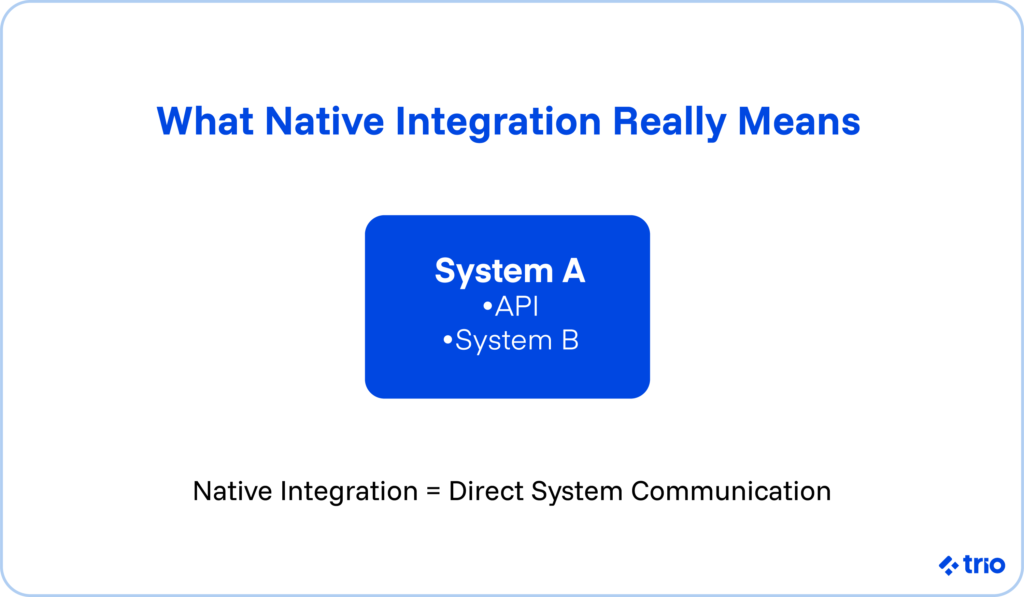
Native integration refers to a means of integrating software applications or platforms with one another using application programming interfaces (APIs).
The importance of native integration lies behind the idea of communication. Suffice it to say, nobody would disagree that communication is important.
Yet it is sometimes hard to fathom that technology places the same importance on communication.
This is why APIs are integral to the concept of native integration. To elaborate, APIs are back-end structures of code that ensure that distinct software systems can interact.
API integrations define the connections that occur between systems via the proper implementation of APIs.
Native integration is a particular mode of integration that utilizes APIs. Unlike non-native integrations, native integrations work with the native features and internal mapping of the current technical infrastructure of your business.
The native aspect of native integrations is paramount, as not every integration app can promise seamless integration with your business systems. And other approaches to integration opt for a one-size-fits-all solution.
Via native integrations and integration as a whole, businesses gain premier access to marketing automation tools, content management systems, management software platforms, and really any and all connections that could be expressly useful.
If you want a concrete picture, imagine two platforms that already understand each other's API formats.
Your CRM might update your billing software instantly when a deal closes because both sides support that communication natively. Nothing extra is required, and the sync tends to feel cleaner over time.
Data integration, in general, is a crucial part of maintaining the digital livelihood of your business. In the modern day, businesses run on tech.
This is the consequence of the never-ending digital transformation that has changed the way businesses do business for good.
But this isn't exactly a bad thing. Cyber-centric ventures like the adoption of cloud technology and marketing automation have only optimized business in the long run.
Businesses use software to organize marketing activities, navigate sales, manage leads, and do much, much more.
With all that said, it should come as no surprise that businesses use multiple software systems to get the job done, each and every day.
Data integration involves syncing business systems together for more efficient management.

There are many data integration tools, many of which are software as a service (SaaS) cloud solutions that are easy to find and use.
But while native integration relies on custom APIs, traditional data integration platforms depend on third-party connectors that do not have a comprehensive understanding of your business systems.
Unfortunately, this understanding, so to speak, requires a deep analysis and special attention to your business ecosystem that not all business-to-business (B2B) models are prepared to offer.
In other words, such a model needs custom software development. However, what some experts call the 'consumerization of enterprise' has yielded thousands of cookie-cutter B2B software platforms with little patience to tackle your specific business needs.
In fact, integration platform as a service (iPaaS) has emerged as its own category for classifying cloud integration business models.
The benefit of iPaaS solutions is that they standardize the integration process. The drawback is that they're limited in scope and customizability.
Needless to say, this is why native integration can be a desirable asset for scaling businesses.
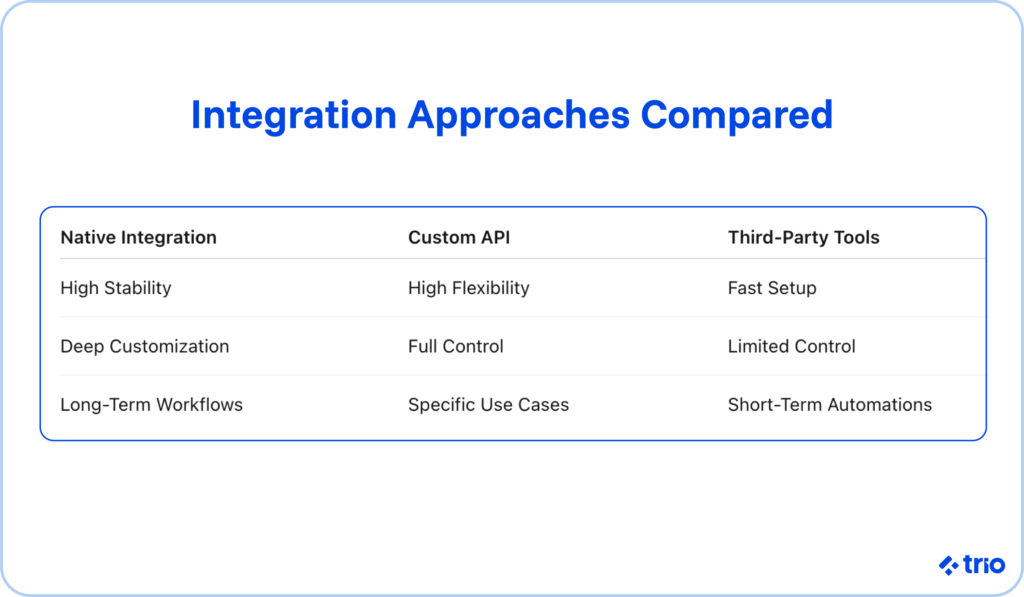
One trend that shows up frequently is that third-party tools work well for common situations but struggle with unusual edge cases.
For example, a connector might sync inventory counts fine until a warehouse adds a second location or changes its SKU structure, and suddenly the workflow breaks. Native integrations avoid that fragility by giving you full control over how the sync behaves.
To make the differences clearer, here is a simple comparison that captures how these approaches relate to one another:
Consider an e-commerce company that wants orders from its store to appear instantly in its fulfillment system.
With native integration, the order data is passed directly through both tools' APIs without waiting for a polling cycle from a third-party connector.
Or imagine an HR team onboarding new employees. A native integration between the hiring platform and payroll system can create employee records automatically, reducing repeated data entry while keeping sensitive information inside controlled systems.
Another example involves analytics.
A subscription company might push usage data from its application straight to its billing engine so invoices reflect real activity. If a third-party connector were used, subtle timing issues could appear, which could confuse customers and create support tickets.
By now, the reasons to employ native integration likely seem obvious. But just in case you need some more convincing, take a look at some of these advantages.
Customization, as a rule, is the main advantage of native integration. Non-native solutions come with limitations. They are not equipped to deal with edge cases that do not fit the classic mold.
This is because blanket software connectors do not know the intricacies of your business system. Therefore, certain integrations, applications, and workflow automation can present unforeseen difficulties.
Native integrations empower you to do more and give you untethered control over your business operations.
It also means you can adjust logic as your workflow evolves without waiting on a vendor to prioritize your request. That autonomy becomes helpful when your internal processes shift faster than third-party tools can adapt.
Using native integrations can give you a competitive advantage in your industry.
If your sales team is struggling to keep up with a hefty load of sales and invoicing, for example, you're not alone. Other businesses are facing the same setbacks.
Except, if you make use of native integrations, you can set up some sales automation tools and leave those other businesses squirming in the dust.
Although the picture isn't pleasant, the big picture is clear. And that's just one example of what native integration can do for you.
Take a company with a subscription model. Billing accuracy relies on usage reports, CRM updates, and payments lining up.
A native integration allows those systems to communicate with almost no drift, which reduces any mistakes that might confuse customers or slow support teams.
Native integration probably sounds too good to be true. But like any innovation, there are pros and cons to level out the playing field. Here are the cons.
Though scalability is the ultimate goal of using native integration, there are some nuances. For instance, native integration is a more complicated process than relying on a popular iPaaS consumer app.
Indeed, the whole point is to reap the benefits of more customization. But to devote so much effort to a project for every system you need to integrate is a reality you would be wise to consider.
First of all, these efforts would be markedly resource-intensive. You may need to hire developers or augment your IT staff just to make ends meet. Not to mention, there are technical resources that you should account for as well.
You won't regret the outcome, but the building and maintenance of native integration projects is a great deal of labor. Customizability might come at the expense of efficiency.
Monitoring, logging, and error handling are additional pieces to think about. Even a simple integration benefits from retry logic, alerts when an API call fails, and a small amount of operational oversight. These details make the system more resilient, but they do add to the workload.
When complexity is the name of the game, costly is the price tag. Simply put, the more complex or custom an integration is, the higher the cost will be.
While quoting numbers is futile here, keep in mind that 'you need to spend money to make money' rings true in this scenario.
Like with any product, you will want to carefully take note of your budget and resources. Research your options where applicable.
There are a couple of standout enterprises, for instance, that can create custom integrations for you and are specifically geared towards small businesses.
Costs vary widely, but even modest projects have long-term expenses. API version changes might require small updates. New workflow steps might need to be added later. All of that is manageable as long as it is acknowledged early.
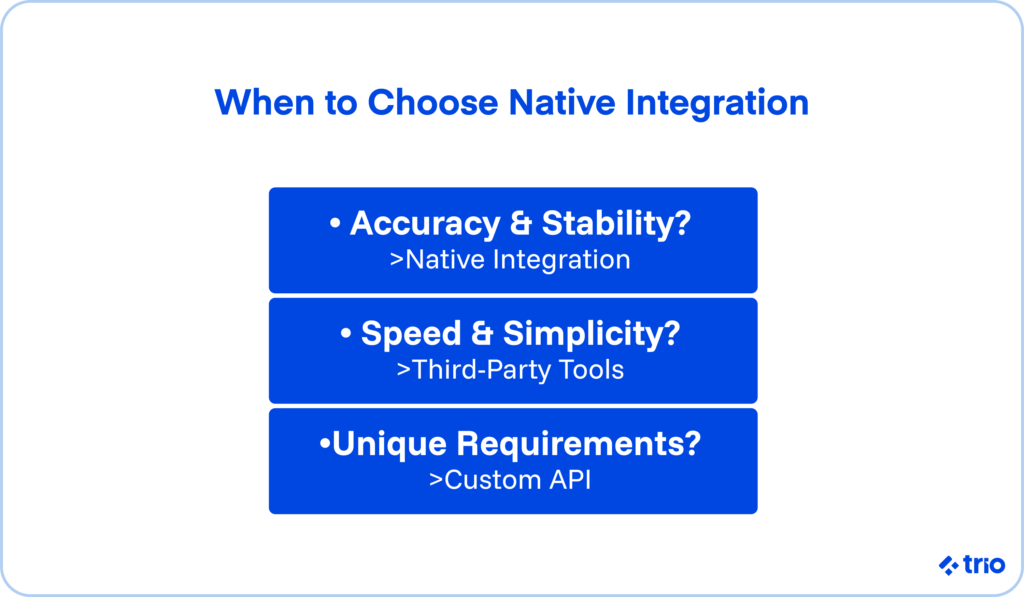
Native integration makes sense when accuracy and stability matter more than setup speed. It also fits well when you expect a workflow to last for years rather than months.
Custom API integrations are helpful when your workflow is unusual or not supported out of the box by either system.
Third-party tools are handy for early experiments or simple automations that might not stick around long enough to justify custom building.

Trio extends qualified software engineers to businesses in need and applies care and professional support to the issues they have.
Of course, data integration is a frequent concern of many businesses that may not have the IT team to truly focus on scaling upwards.
Ergo, native integration is one of Trio's top priorities. Trio engineers are trained and specialized to think critically about the problems you're facing and build direct solutions to solve them.
Trio excels in software knowledge and Latin American developer connections. Discover our exceptional Chilean, Brazilian, and Argentine developers for outsourcing excellence.
To talk more about native integrations and their role in your business, reach out to Trio today!
A native integration is simply a direct connection between two systems using their own APIs, and it avoids relying on external automation tools.
Native integration differs from an API because it uses the API as the method of connection, not the interface itself.
Native integration is not always better because some workflows change too often or are easier to manage through a third-party tool.
Native integrations cost more because they involve building and maintaining the connection, including updates when APIs change.
You should choose native integration when accuracy and long-term stability matter most, especially for workflows that rarely change.