
Hire by Technology
SERVICES



To update your website without downtime, you really need to consider two different aspects.
First, you need to consider your content, like a new price, a new page, or a policy update. This tends to be something a marketing person should be able to publish without waiting on engineering.
The other is code. A new feature, a platform migration, or a database change can take a site down if it's handled carelessly.
In many cases, the clients that we have worked for have been frustrated because they don’t know what they are actually dealing with. Once you understand if you need a developer, hiring one who understands the required action through IT staff augmentation is relatively easy.
This distinction matters more than usual in fintech specifically.
Even a small content change like an updated rate or fee disclosure can carry the same compliance weight as a code change, even though it never touches the application itself.
Let’s look at everything you need to know about updating your own website without any downtime. If you need affordable, nearshore developers, we can help, even in heavily regulated industries like fintech where downtime leads to a loss of reputation.
A content change is usually something simple and text- or image-based, like updating copy, publishing a blog post, swapping an image, or adjusting a price.
If you do it right, none of this should ever risk downtime or require a developer's involvement, because it's happening in a content layer that's deliberately separate from the application code running the rest of the site.
A code change, on the other hand, is something like shipping a new feature, changing how a page is built, migrating to new infrastructure, or altering how data gets stored.
Changes here could break your site, so this is where real risk lives.
The reason these get confused is that on a lot of websites, they aren't actually separated.
A traditional CMS often mixes the two together, so a content editor and a code deployment can end up touching the same fragile path, and a routine content update starts to feel exactly as risky as a platform migration.
The fix is architectural. A decoupled or headless setup keeps content in its own system, published independently of the application code that renders it, so a marketing team can publish a new page without anyone from engineering needing to be in the loop.
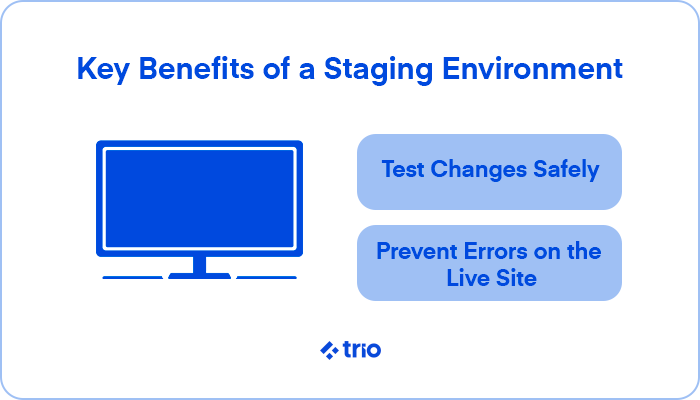
Scheduled publishing and a preview environment handle any substantial changes, allowing them to get reviewed and queued before they go live, rather than pushed straight to production.
Some changes are genuinely code changes, such as a database schema change, a new integration, a platform migration, or anything touching core application logic.
These changes deserve a real process:
Switching hosting providers or servers entirely doesn’t usually involve changing content or code, just where the site physically lives.
The sequence our teams have found that works consistently is:
One of the most common details we see catching teams out is that they cancel or shut down the old host right away. This is a mistake.
Keep it running for 24 to 48 hours after the switch, since some visitors will still be routed there until DNS fully propagates worldwide.
Second, you need to remember that email is a separate concern from the website itself. MX records propagate on their own schedule, distinct from the A record that routes web traffic, so a rushed migration can break email while the website itself looks fine.
Third, if the site integrates with a payment processor or banking partner, check whether any webhook URLs or allowlisted IP addresses are tied to the old host specifically. A migration that goes perfectly from a DNS standpoint can still silently break incoming payment notifications if a processor is still configured to trust the old server.
If you keep all of this in mind, and the migration occurs successfully, you can rest easy knowing that it doesn't hurt search rankings on its own, as long as the domain and URLs stay exactly the same. Search engines see the same address serving the same content.
That protection disappears the moment a migration also changes the domain or URL structure, which is really a separate project requiring its own redirect plan.
Everything above still applies to a fintech product, but the review process gets an extra layer even for changes that are purely content.
Updated terms, a new fee disclosure, or a change to how a rate is displayed doesn’t touch the code, but may need compliance sign-off before it is published.
We recommend a publishing process with a compliance review step built in in advance, since this is far less painful than trying to insert one under deadline pressure.
This extends to the technical side too. A deployment or migration touching anything in PCI scope, checkout pages, stored card data, or payment forms may need to be logged and documented as a change event for audit purposes.
If every content update on your site genuinely requires a developer, the underlying issue is usually the architecture. Untangling content from code is a one-time engineering investment that pays off every time someone needs to publish something afterward.
A viable solution, if you don’t have the in-house talent, is outsourcing software development for this one time.
If the actual gap is engineering capacity for the platform-level work (staging, deployment pipelines, and database migrations), that's a more standard hiring question, and one where prior experience with exactly this kind of safe, zero-downtime change matters more than general seniority.
At Trio, we pre-vett developers, then place them based on your specific requirements, allowing you to take advantage of the many benefits of IT staff augmentation by saving sourcing and testing time, while getting affordable talent guaranteed to have the experience you need.